Quick Start Guide
Thanks for choosing AovUp! Every AovUp plugin you buy from us is installed and kept up to date by AovUp Core, a small plugin that connects your WordPress site to your AovUp account. Setting it up takes a few minutes per site.
1. Download AovUp Core
Log in to your account on aovup.com and go to My Account > Downloads. Next to any of your AovUp plugins, click Click To Download Plugin Installer. That file is AovUp Core, and it’s the same file for every plugin.
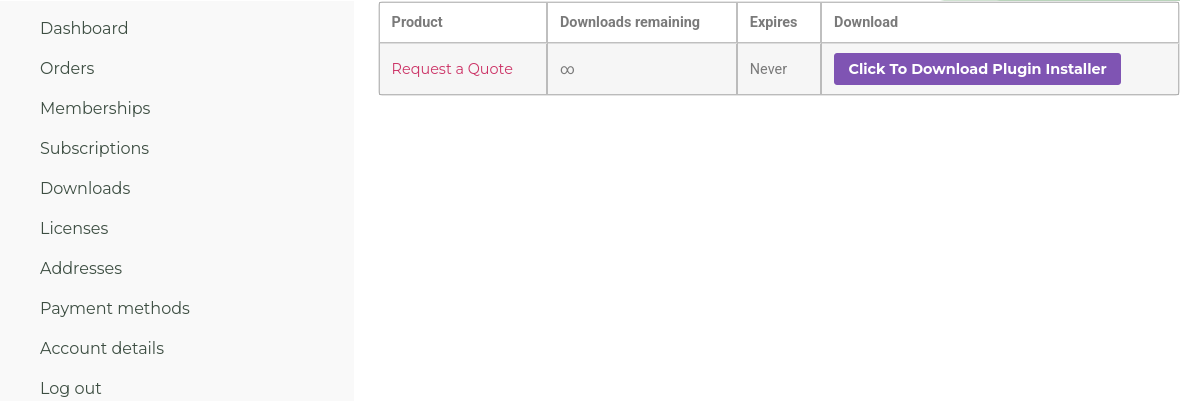
Keep the file as a .zip. If your computer unzips it on its own (Safari on a Mac often does), zip the folder again before you upload it.
2. Install AovUp Core
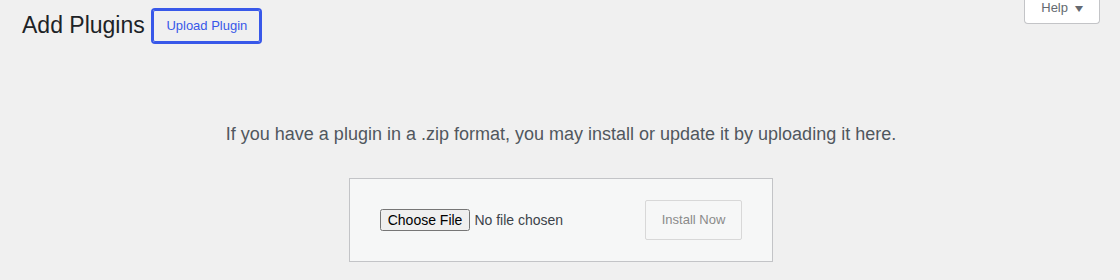
- In your WordPress admin, go to Plugins > Add New Plugin (called Add Plugin in the newest WordPress) and click Upload Plugin.
- Click Choose File (Browse… in Firefox), select the .zip file you downloaded and click Install Now.
- Click Activate Plugin. You’ll now see AovUp in the WordPress menu.
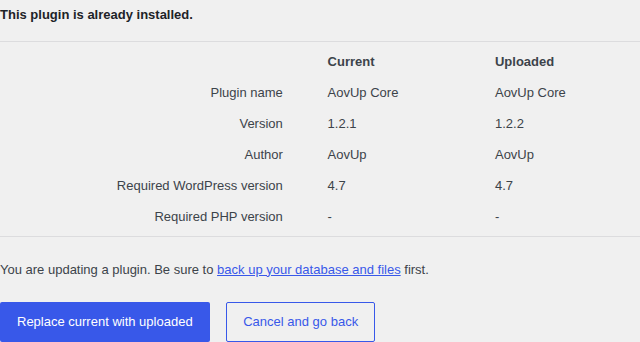
Already have AovUp Core on this site? Upload the new file the same way. WordPress then shows the version you have next to the one you’re uploading: click Replace current with uploaded. Your settings and your license stay as they are. As with any update, it’s a good idea to back up your site first.
3. Activate your license
Your license key is in My Account > Licenses on aovup.com, and in the email you got with your order. Copy it.
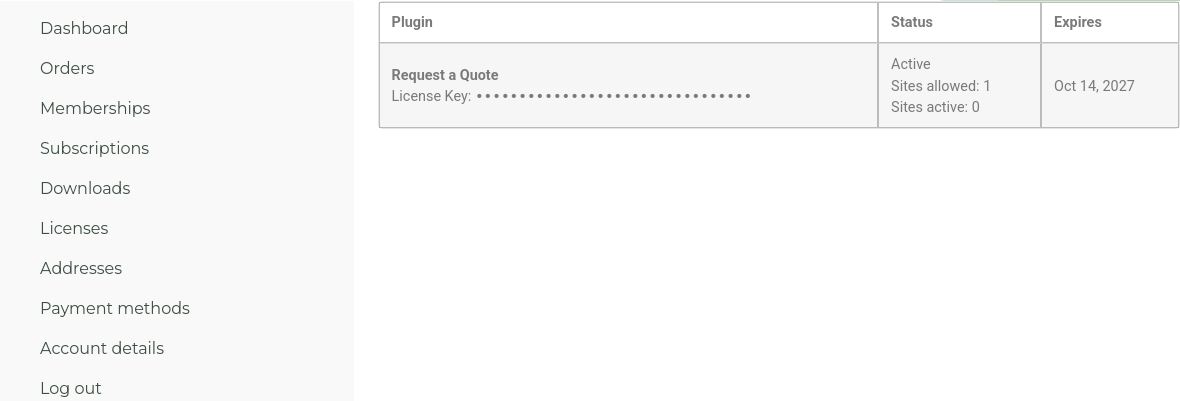
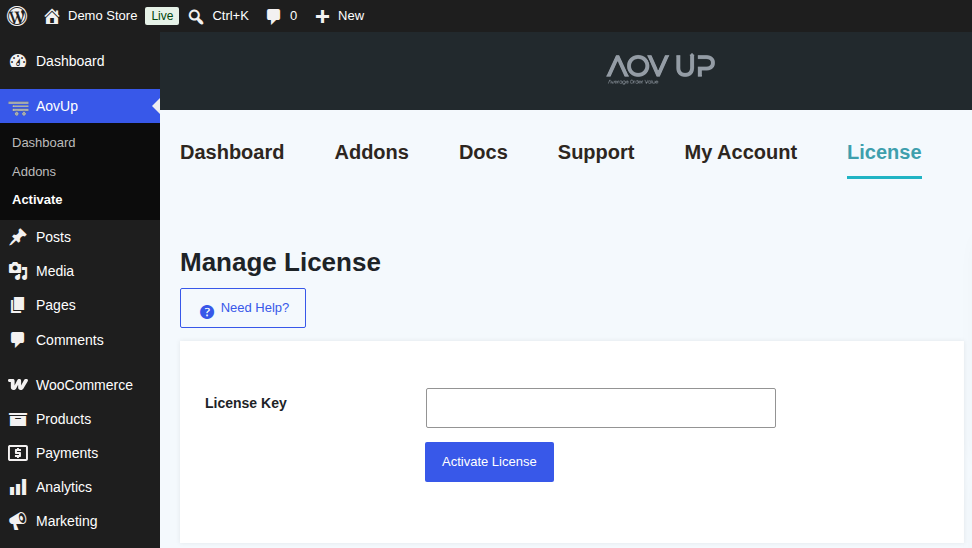
In WordPress, go to AovUp > Activate, paste the key into License Key and click Activate License. You’ll see “Your license key has been activated successfully.” on the Addons screen.
4. Install your plugin
On AovUp > Addons, find the plugin you bought and click Install Now. Plugins that aren’t part of your license show Upgrade Now instead.
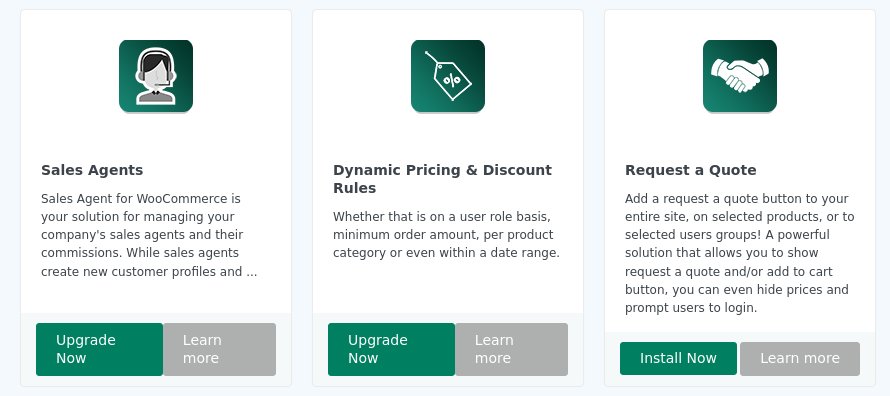
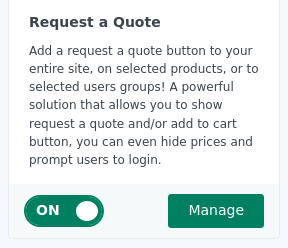
Once it’s installed, click the switch on its card to turn the plugin on. The Manage button then takes you to its settings.
That’s it. From now on, updates for your AovUp plugins appear in WordPress like any other plugin update, under Dashboard > Updates and on the Plugins screen.
Troubleshooting
The license doesn’t activate
- “Invalid license key”: copy the key again from My Account > Licenses, with no spaces before or after it.
- “License usage limit reached”: this can also mean your site couldn’t reach our license server. Please try again in a few minutes, and if you still see it, email us and we’ll sort it out.
No updates show up
- Check the AovUp Core version on your Plugins screen. If it’s older than 1.2.2, install the latest AovUp Core as in step 2: some older versions don’t show AovUp updates at all.
- Go to AovUp > Activate. It should say License status: Active. If your license has expired, renew it from your account on aovup.com, or email us.
- WordPress looks for updates about twice a day. To check right away, go to Dashboard > Updates and click Check again.
Still stuck?
Email us at hello@aovup.com with your site address and a screenshot of what you see, and we’ll help you out.
Need more plugins or more sites? See our plans.